Batch Civil Suite
v2.0.0 TrialA comprehensive suite of automation tools for Civil 3D. Accelerates infrastructure design workflows by batch-processing alignments, profile views, surface sampling, and annotations.
Works with
- Civil 3D
$99.00/Year
Free trial — no card and no licence key. The trial starts inside the plugin: open its ribbon tab, then About, then the License tab.
- Checksum published
- Free trial available
Civil 3D does every one of these jobs perfectly well — once. The problem was never the tool, it was the count. Forty alignments, forty profile views, forty label sets, each one a dialog and a handful of clicks, and no part of it requiring a decision. That is the work this suite removes.
Alignments, forty at a time
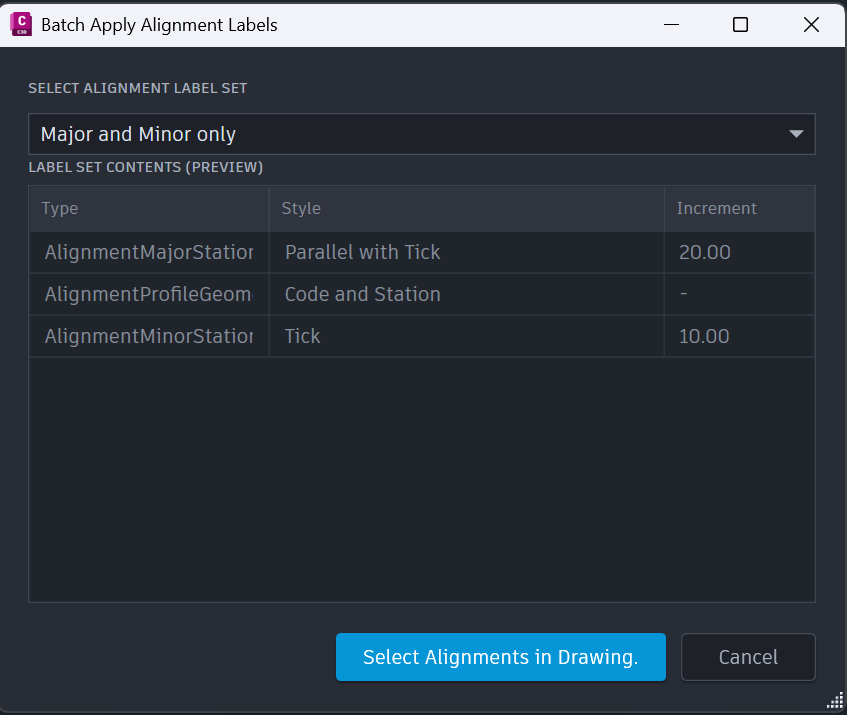
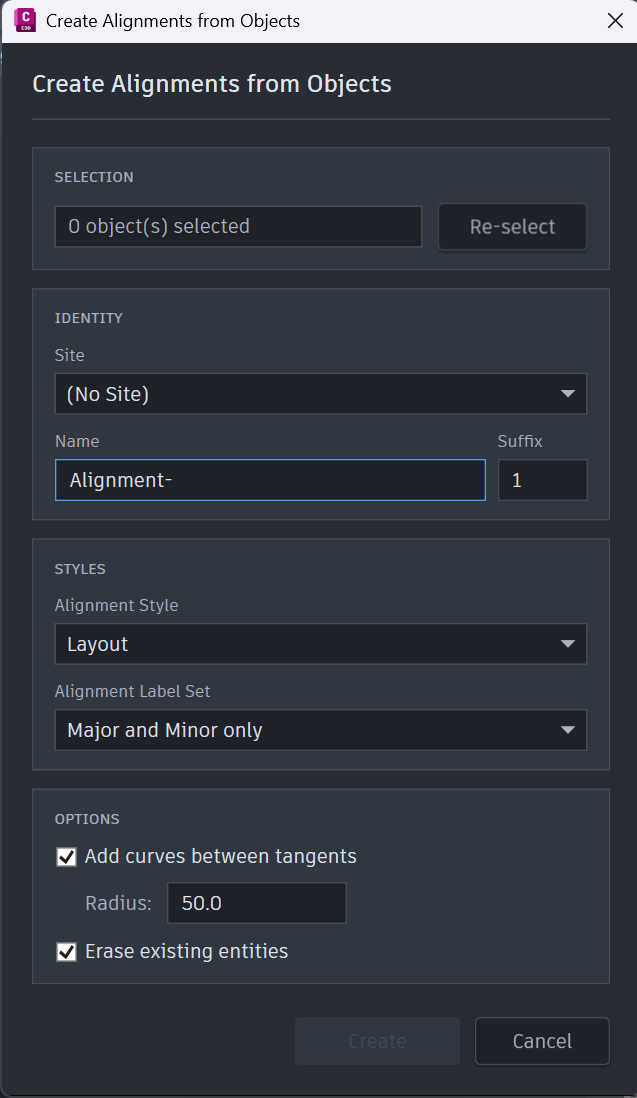
Batch Alignments converts many Lines, Polylines and Feature Lines into Civil 3D Alignments in one operation, with automatic naming and a global style. Add Alignment Labels then applies one label set across every alignment you select, so the whole set is annotated to your standard without opening a dialog forty times.
Profile views, placed or gridded
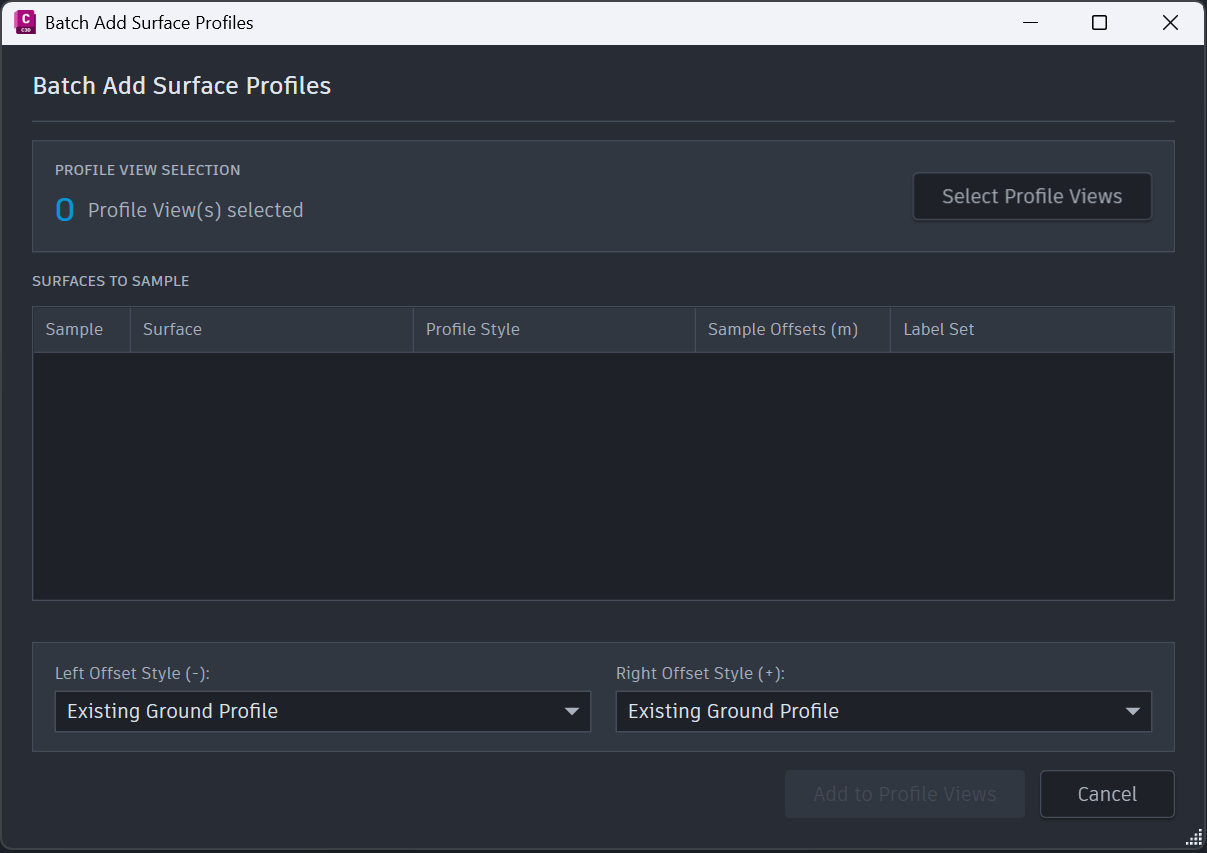
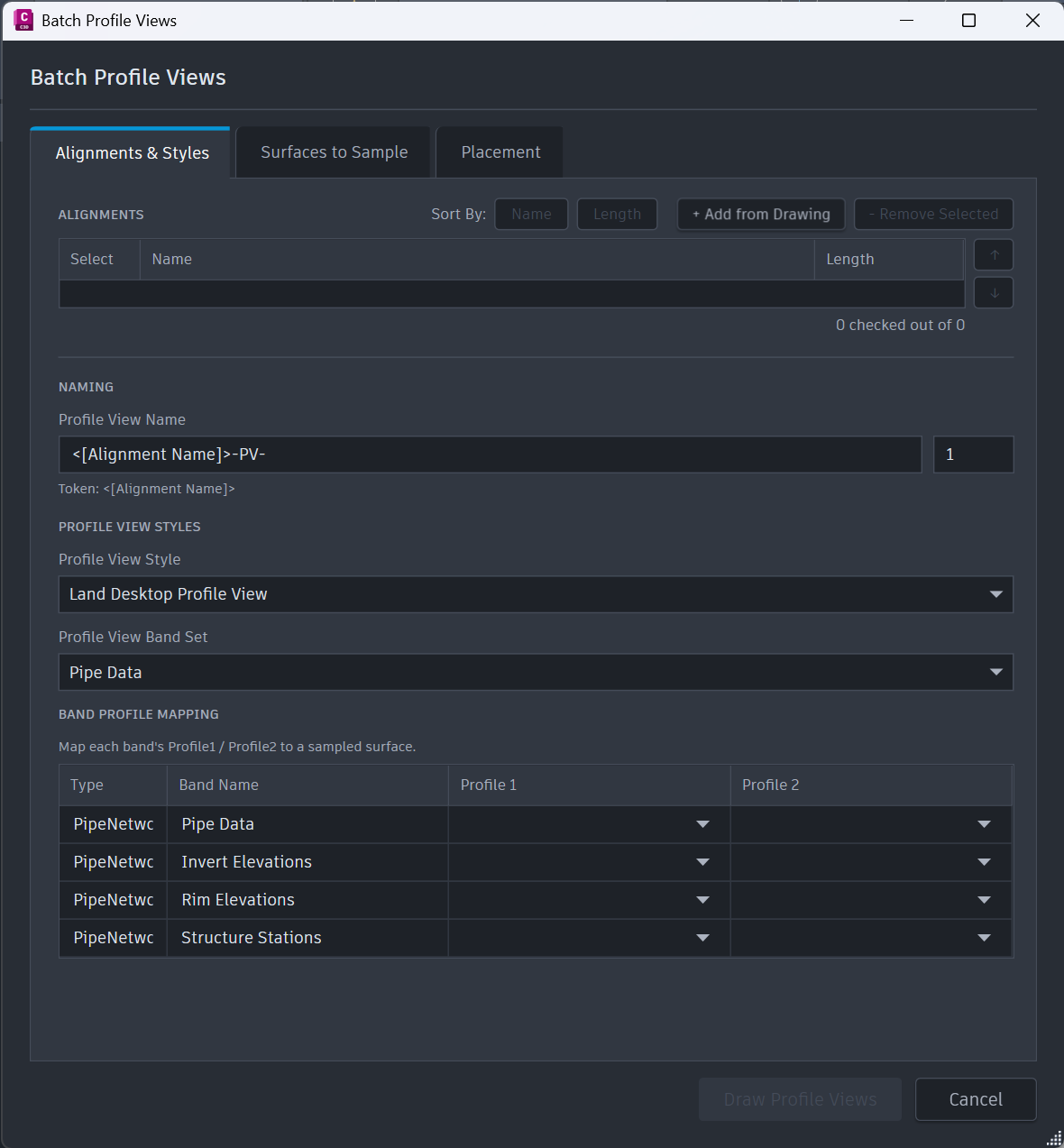
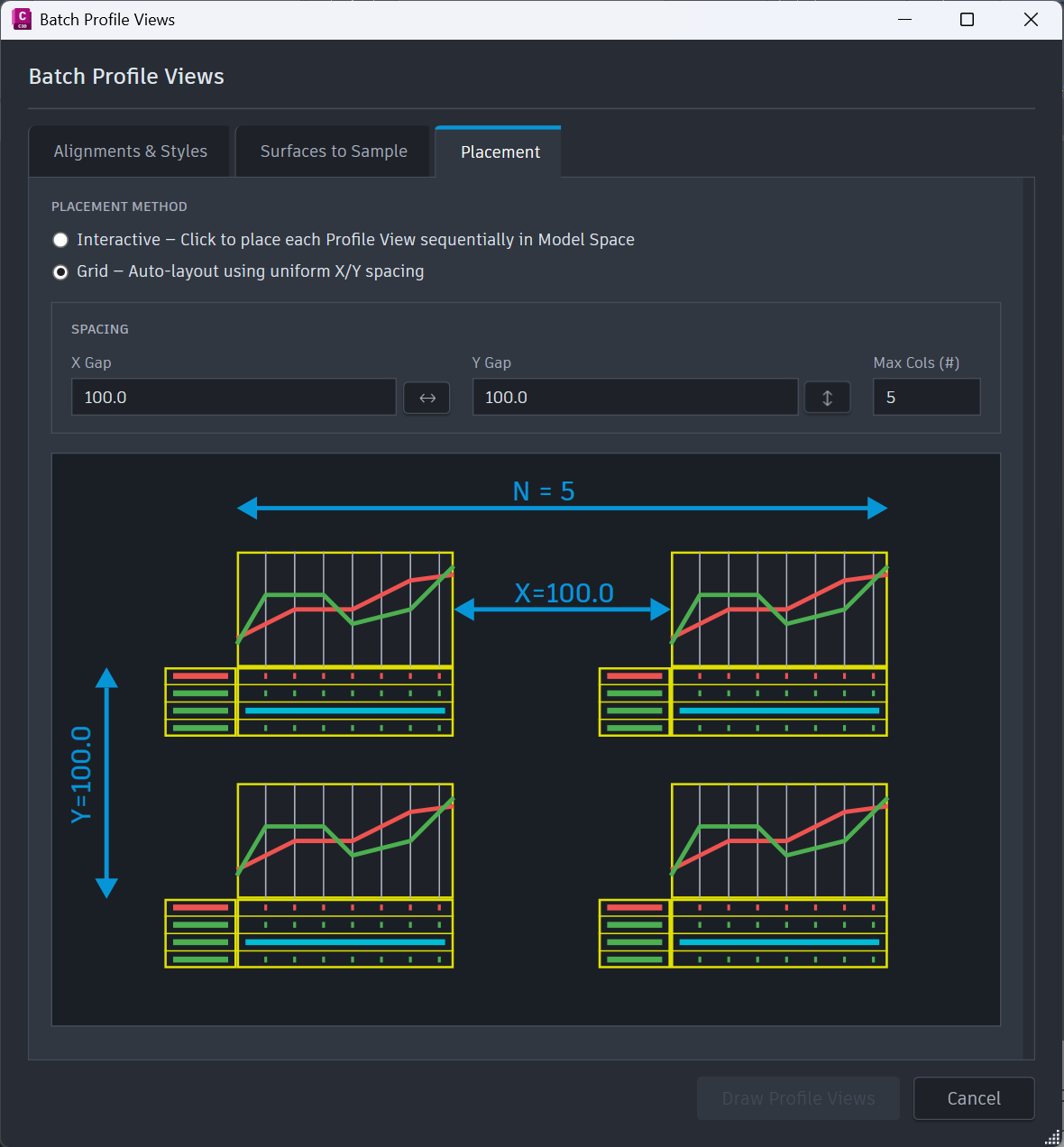
Create Profile Views builds views for many alignments at once, placed interactively or laid out automatically on a grid. Add Surface Profiles then adds centreline and offset profiles to existing views in bulk, with a different style per offset if you need one.
Section datums and sample lines
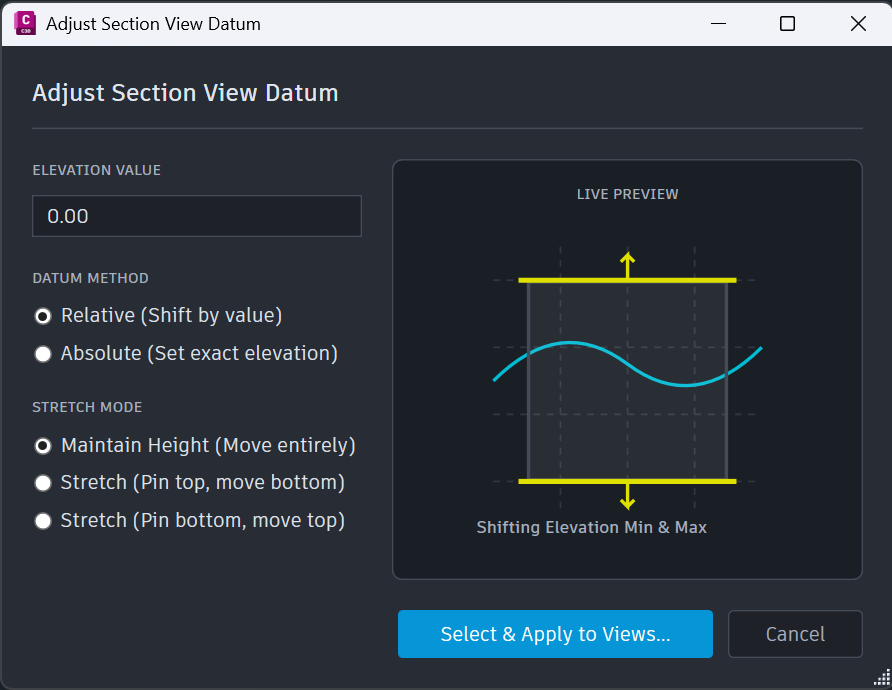
Adjust Section View Datum corrects the elevation datum across a whole set of section views in one pass. Move Sample Lines shifts selected sample lines along their alignment by an exact distance or one you measure on screen — the adjustment that normally means editing each station by hand.
Back to plain polylines, when you need it
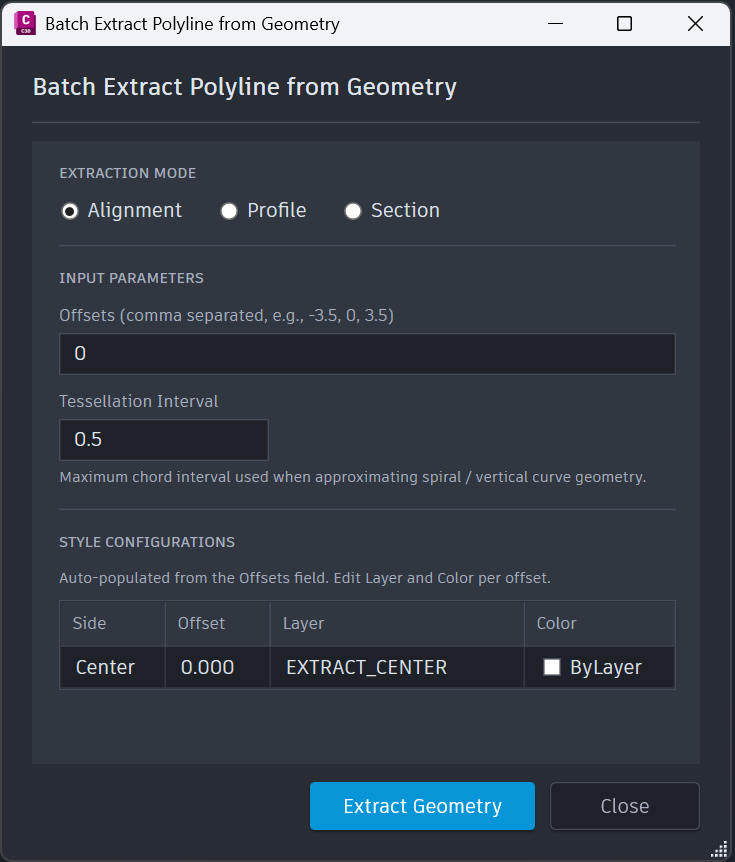
Extract Polylines converts alignments, profiles and sections back to native AutoCAD polylines, with offsets, layers, colours and linetypes you control. It is what you run for the consultant who does not have Civil 3D, or for a drawing that has to leave your workflow intact.
IFC models, sliced into your views
IFC Manager holds the models you are working against; IFC Projection slices them into your section and profile views and updates the slices when the model changes. The geometry engine ships inside the product — no Python to install, no configuration, no external dependency of any kind.
Ordinary Civil 3D objects, always
Every operation runs inside a document lock and a committed transaction, and everything it creates is a real Civil 3D object made with Civil 3D's own API. There is no proprietary format anywhere. A drawing produced with this suite opens normally on a machine that has never heard of us — including after your licence ends.


How the free trial works
Free trial — no card and no licence key. The trial starts inside the plugin: open its ribbon tab, then About, then the License tab.
Requirements
- Autodesk Civil 3D 2021–2027
- Windows 64-bit
- .NET supplied by Civil 3D itself — nothing extra to install
- Dependencies none: no Python, no external libraries
- Internet for activation and occasional licence checks
- Licence one computer, all supported Civil 3D versions on it
- Trial 14 days, full product, no card
CivilBatch Suite is a set of eleven batch tools for Autodesk Civil 3D, installed as a single ribbon tab, GR Civil Tools. Each one does something Civil 3D already does well — and does it to every object you select instead of one at a time.
What is in it
Alignments
- Batch Alignments — converts multiple Lines, Polylines and Feature Lines into Civil 3D Alignments in one run, with automatic naming and a global style and site.
- Add Alignment Labels — applies one Alignment Label Set across every alignment you select.
Profiles
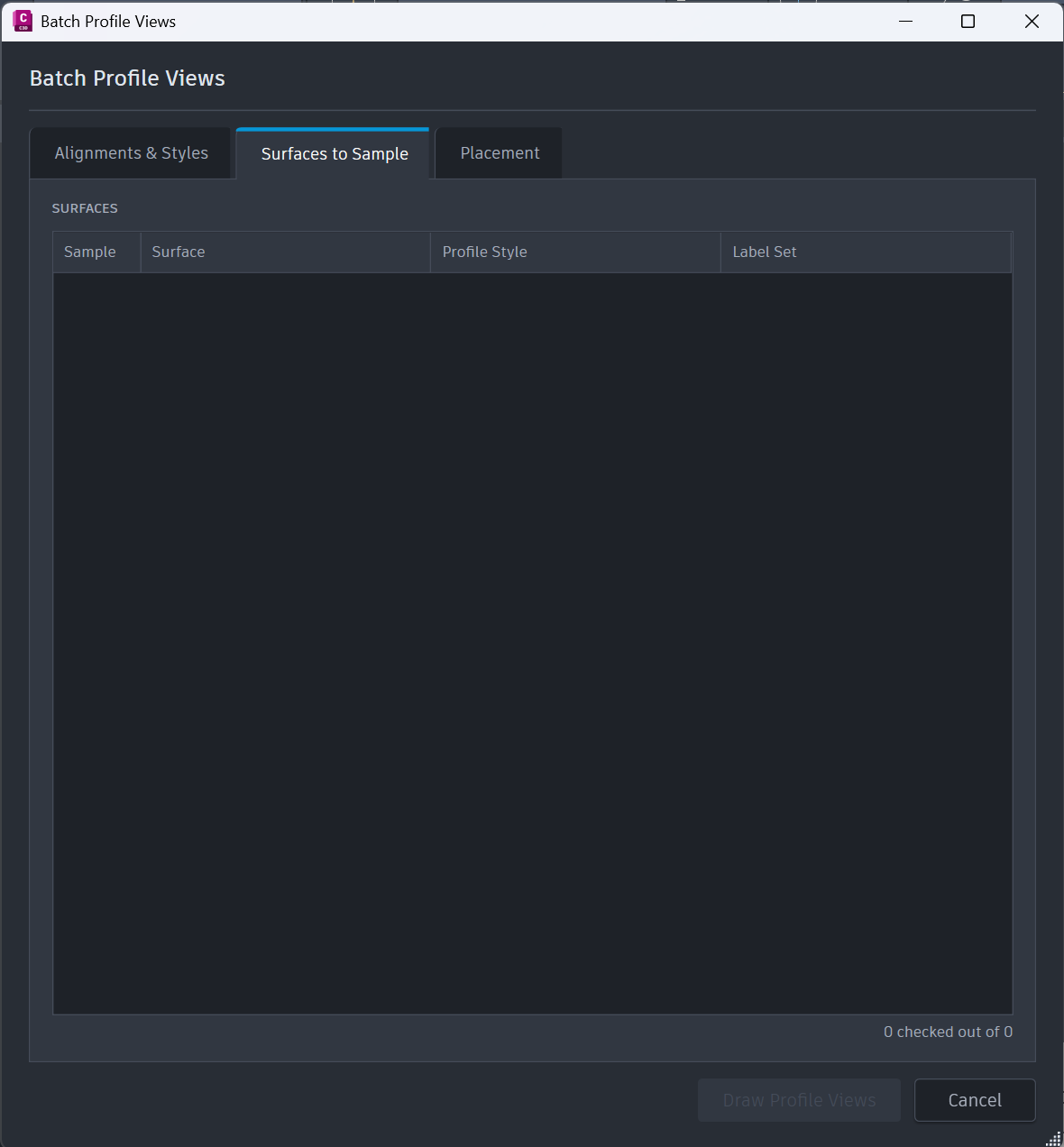
- Create Profile Views — builds Profile Views for many alignments at once, placed interactively or laid out automatically on a grid, sampling the surfaces you choose.
- Add Surface Profiles — adds surface profiles to existing Profile Views in bulk, at several offsets in a single operation, each with its own style.
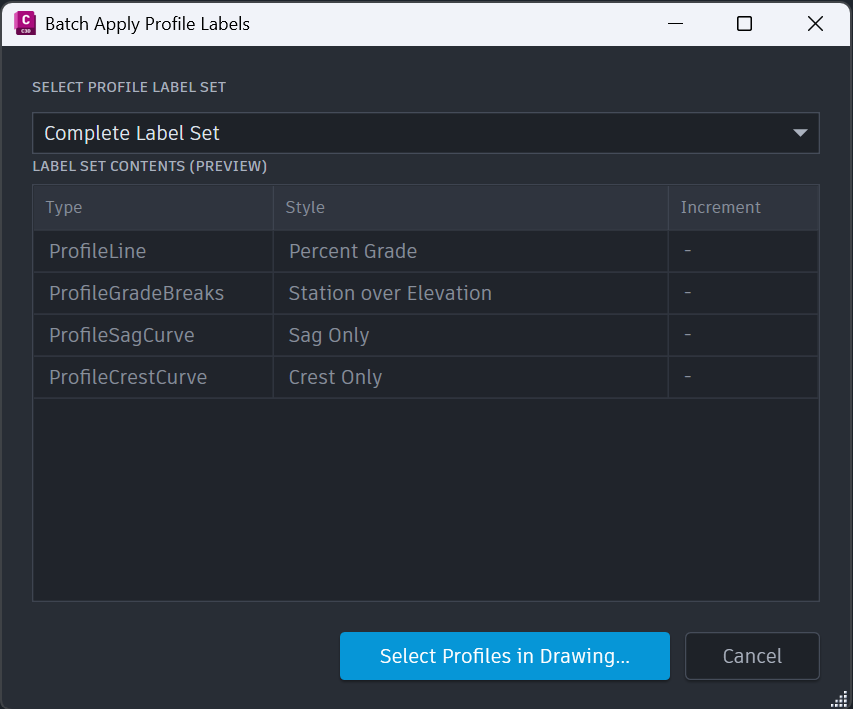
- Add Profile Labels — applies one Profile Label Set across every profile you select.
Sections
- Adjust Section View Datum — adjusts the elevation datum across a whole set of Section Views at once.
- Move Sample Lines — shifts selected Sample Lines along their parent alignment by an exact or a measured distance.
Utilities
- Extract Polylines — converts Alignments, Profiles and Sections into native AutoCAD polylines, including offset polylines with your own layer, colour and linetype.
IFC
- IFC Manager — holds the IFC models a drawing is working against.
- IFC Projection — slices those models into Section and Profile Views, and updates the slices when the model changes.
- IFC Slicer — opens both palettes together. Command only, by design.
The geometry engine is inside the product. There is no Python to install, nothing to configure and no external component of any kind.
What it does to your drawing
Every operation runs inside a document lock and a committed transaction, and everything it creates is a genuine Civil 3D object made through Civil 3D's own API. There is no proprietary format anywhere. A drawing produced with this suite opens and edits normally on a machine that has never had this plugin installed — including after a licence ends.
Limits worth knowing before you buy
- A 3D Polyline converts to an alignment whose baseline carries 2D geometry.
- Feature Lines containing curves may not convert with identical geometry — use feature lines without curves where the geometry must match exactly.
- Adding a profile label set appends labels; it does not clear labels the profile already carries.
- Duplicate names are given a numeric suffix automatically rather than stopping the batch.
- IFC slicing has a ten-minute limit per file. A model that exceeds it stops cleanly and reports the failure — it does not hang, and it does not take the drawing with it.
Licensing
One licence activates one computer and covers every supported Civil 3D version installed on it. Reinstalling, updating or upgrading Civil 3D on the same machine is free and unlimited. Moving to another computer means releasing the licence on the old one first, from the License tab. The plugin keeps working for 14 days after its last successful check if it cannot reach our server, so an outage or a restrictive proxy never stops your work.
If you own this product on the Autodesk App Store, that edition is licensed by Autodesk and needs no key.
Annual subscription per computer. Includes a 14-day fully functional free trial.
SHA-256
7c90d1fac5555c46afba319fa102c35e1db26c0d167223225a2ac57a1e085027
Frequently asked questions
Does it work with plain AutoCAD, without Civil 3D?
No. CivilBatch Suite works with the Civil 3D objects themselves — alignments, profiles, sample lines — so Civil 3D is required. If you need alignments and profiles converted to ordinary polylines for someone who does not have Civil 3D, the Extract Polylines tool does exactly that.
Will it change my original drawing?
Yes — that is what it is for. It creates and modifies Civil 3D objects in the drawing you have open, inside a document lock and a committed transaction. As with any tool that edits drawings, run it on a copy the first time so you can see the result against your own standards before using it on live work.
Do I need to install Python for the IFC tools?
No. The IFC engine ships inside the product. There is nothing to install, nothing to configure and no separate download — the IFC tools work the moment the plugin is installed.
What happens to my drawings if I stop paying?
Nothing. The eleven tools stop working, but everything you have produced is ordinary Civil 3D geometry and is never altered, locked or damaged. It opens, edits and shares normally whether or not the plugin is installed. Renewing restores the tools immediately with the same key.
Can I move the licence to a new computer?
Yes. Release it on the old computer from the License tab, then activate on the new one with the same key. If the old machine has failed or is gone, contact us and we will release it for you. Reinstalling or upgrading Civil 3D on the same computer never needs the key again and never uses up a move.
Does it need a constant internet connection?
No. Activation needs a connection once. After that the plugin checks its licence only occasionally and keeps working for 14 days from its last successful check — so an outage, an offline site or a restrictive corporate proxy never stops you. A failed check because our server is unreachable is treated differently from an invalid licence, and only the second has any effect.
I bought it on the Autodesk App Store — do I need a key?
No. That edition is licensed by Autodesk and has no key to enter. Only the edition downloaded from this website uses a licence key.