
Batch Layout Generator Pro
v1.0.0 TrialGenerate, sync and export hundreds of Paper Space layouts in AutoCAD, Civil 3D and ZWCAD — automatically. Turn Model Space Smart Blocks into finished, print-ready sheets in seconds instead of days.
Works with
- AutoCAD
- Civil 3D
- ZWCAD
$49.99 / year
Free trial — no card and no licence key. The trial starts inside the plugin: open its ribbon tab, then About, then the License tab.
- Checksum published
- Free trial available
Sheet production is the slowest part of any infrastructure project. On a road, pipeline or subdivision drawing you place viewport after viewport by hand, match every scale, renumber every sheet, and then do it all again the moment the alignment shifts. A 200-sheet set can cost days of drafting time — time spent copying, not designing. And when the model changes late in the project, most of that work has to be repeated under deadline pressure.
One click, every sheet
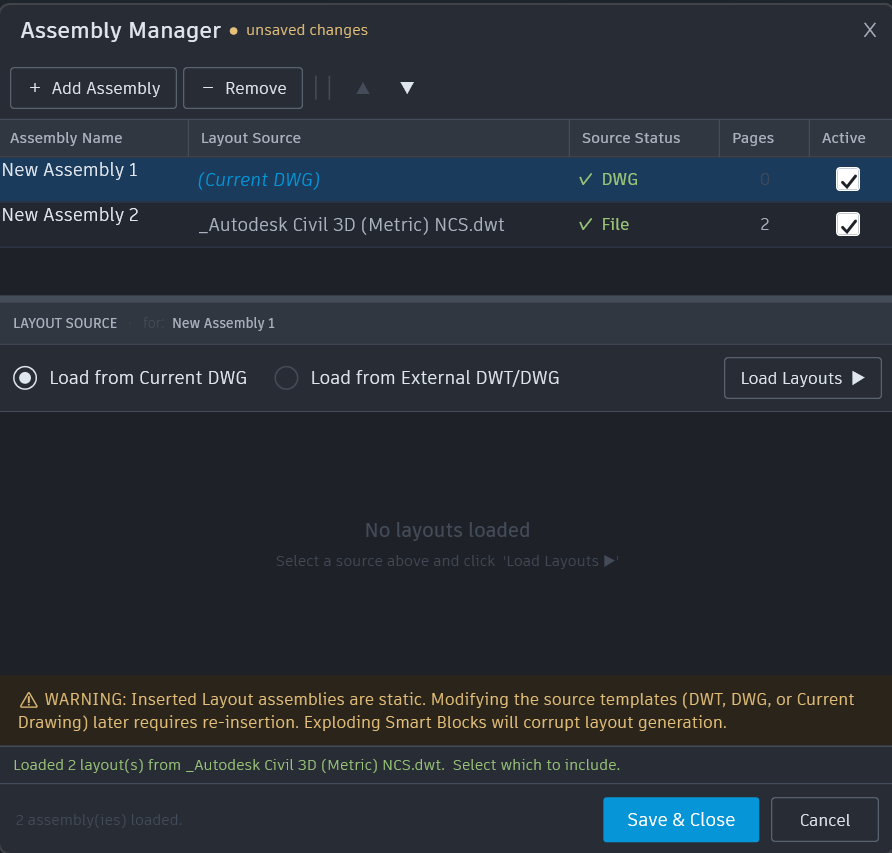
Mark up your drawing with Smart Blocks in Model Space, then let the plugin build every layout for you. It creates the sheets, copies your title block, and places correctly scaled viewports that stay linked to the model. What used to take a full day of drafting finishes while you make coffee.
The model changed. Your sheets already know.
Move, rotate, copy or rescale a Smart Block and sync the sheets that depend on it — one layout or the entire drawing. No hunting for which viewports went stale, no rebuilding a set from scratch because the alignment moved 40 metres two days before submission.
Rename and reorder hundreds of tabs without touching them one by one
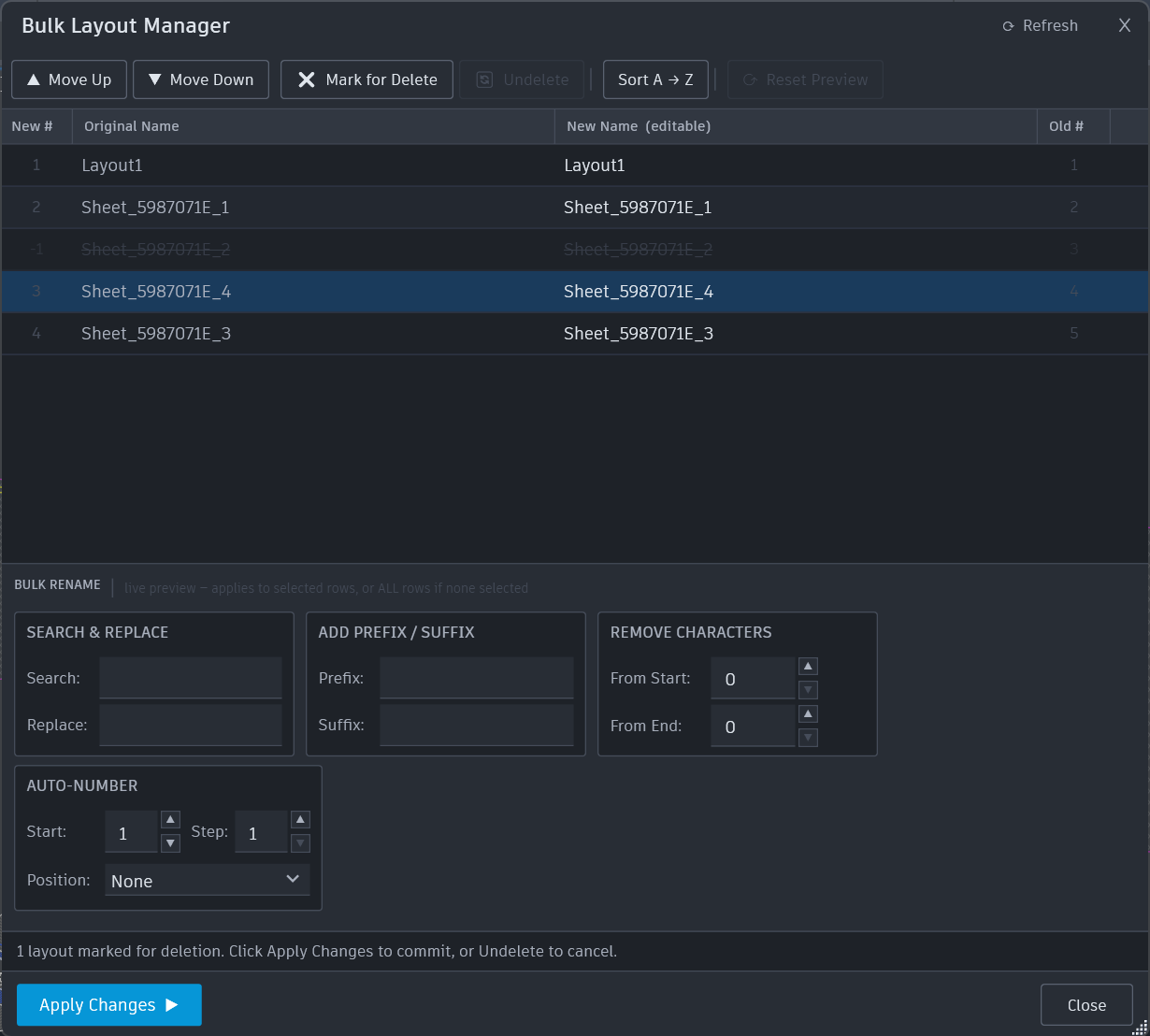
The Bulk Layout Manager shows every layout in one list with a live preview of your changes before anything is applied. Search and replace, add prefixes or suffixes, auto-number, sort, reorder, and delete in bulk — then apply once. Nothing is written to the drawing until you say so.
Export a whole set to clean, separate DWG files
Batch-export your layouts to individual drawing files ready to send to a client or contractor — each one clean, each one self-contained, and your original drawing untouched. Built specifically to avoid the database corruption that hand-rolled export scripts are notorious for.
Numbering that follows the map, not the click order
Spatial Renumbering sorts your sheets the way a reviewer reads them — left to right, top to bottom — regardless of the order you drew them in. Role-based viewport matching keeps plans, sections and details in the right frame on every sheet, even on multi-viewport templates.
Same tool on AutoCAD, Civil 3D and ZWCAD
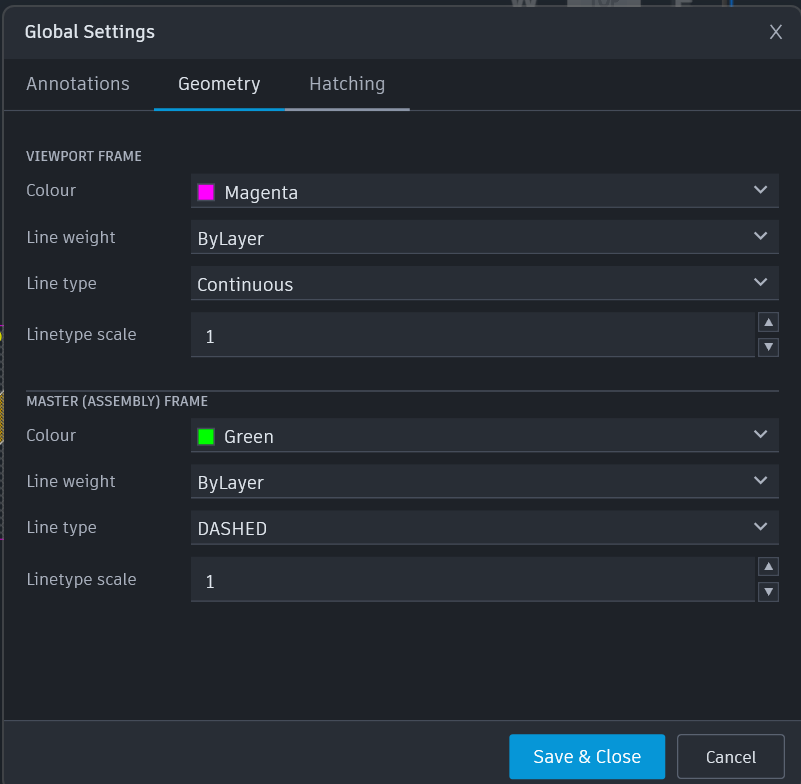
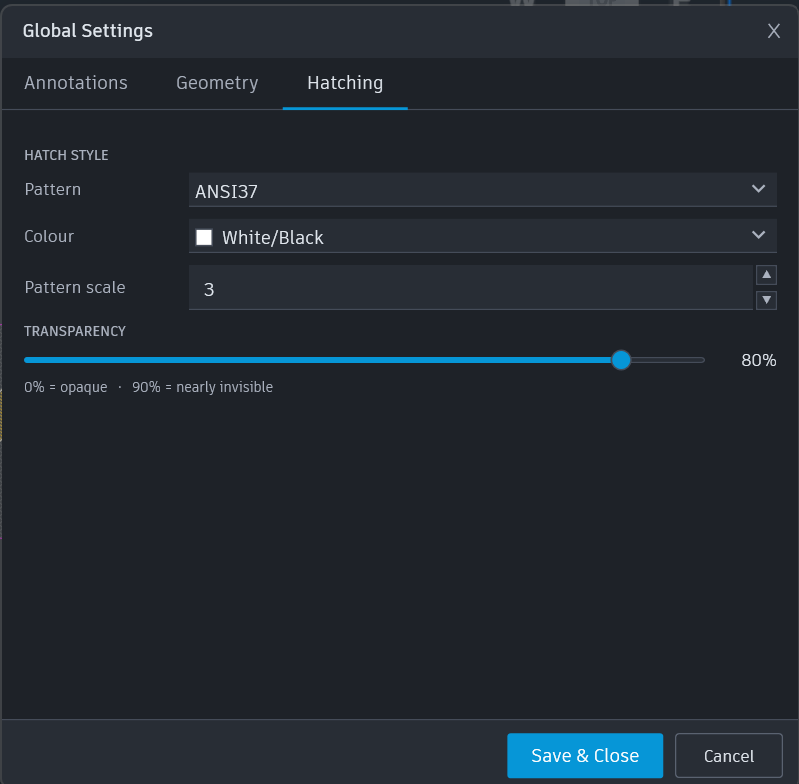
One licence covers every supported CAD application installed on your computer. If your office runs Civil 3D and ZWCAD side by side, you do not buy the plugin twice. Dark, native-looking interface, its own ribbon tab, and five selectable icon themes.
![Viewport label settings with a live preview reading VP: Pg 1 | Plan View | 1:500 [REPEAT] [HATCH]](/assets/app_images/Batch_Layout_Generator_Pro/Settings_Preview.webp)
How the free trial works
Free trial — no card and no licence key. The trial starts inside the plugin: open its ribbon tab, then About, then the License tab.
Requirements
- AutoCAD / Civil 3D 2021–2027 (64-bit)
- ZWCAD 2026 Professional (64-bit)
- Windows 10 or 11 (64-bit)
- Framework .NET Framework 4.8, .NET 8 or .NET 10 (matching your CAD version)
- Internet required to activate and for occasional licence checks
- Disk space approximately 50 MB
- Free trial available — one per computer, no key and no email required
- Note this is a plugin; a licensed installation of a supported CAD application is required and is licensed separately by its vendor
Batch Layout Generator Pro is a commercial-grade batch layout generation suite for infrastructure and design professionals. It links Model Space viewport boundaries dynamically to Paper Space layouts through a highly optimized Plan Production workflow.
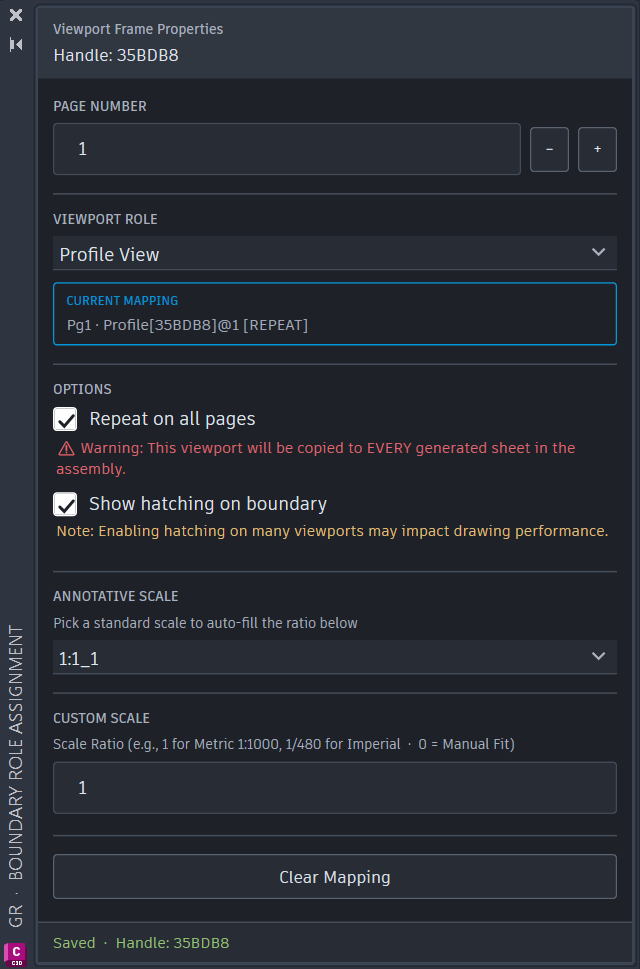
Instead of manually creating and adjusting viewports, you can use unexplodable Smart Blocks in Model Space as layout templates. Copy, move, rotate, and scale them, and the plugin will handle the rest.
Core Features:
- 1-Click Layout Generation: Automatically create sheets, copy title blocks, and map viewports.
- Two-Way Synchronization: Instantly update existing Paper Space sheets when Model Space block geometries change.
- Bulk Layout Manager: A modeless interface to rename and reorder hundreds of layout tabs with live preview.
- Batch Layout Exporter: Safely export printing layouts to clean, separated DWG files without corrupting your original database.
- Spatial Renumbering: Batch renumber viewport frames by spatial sort (Left-to-Right, Top-to-Bottom).
Annual subscription · one licence activates one computer and covers AutoCAD, Civil 3D and ZWCAD on it · free trial available · 14-day money-back guarantee
SHA-256
99e11b95f8c44f2b378ef9d5e2c4c8a8c7992984e8b18d42051ca053b736266b
Frequently asked questions
Can I try Batch Layout Generator Pro before buying?
Yes. Install the plugin, open About → License and click Start free trial. No licence key and no email address are required. Every feature is unlocked during the trial, and the License tab shows your exact end date and days remaining. One trial per computer.
Which CAD applications and versions are supported?
AutoCAD and Civil 3D 2021 through 2027, and ZWCAD 2026 Professional, all 64-bit on Windows 10 or 11. GstarCAD support is planned and will be included at no extra cost when released.
What does one licence cover?
One licence activates one computer and covers every supported CAD application installed on it — AutoCAD, Civil 3D and ZWCAD. A second computer needs a second licence. You can move a licence between computers by deactivating it on the old one first.
What happens when my subscription ends?
The plugin's features stop working, but your drawings are never altered, locked or damaged. Every sheet you have already generated stays exactly as it is and opens normally in any CAD application, with or without the plugin installed.
Do I need to re-enter my key when I reinstall or update?
No. Reinstalling the plugin, updating it, or upgrading your CAD version on the same computer never requires the key again and never costs you anything.
What is the difference between the Autodesk App Store edition and the download from this site?
They are the same plugin with two different ways of paying. The Autodesk App Store edition is purchased and licensed through Autodesk and needs no licence key. The edition downloaded from this site is licensed with a key and covers AutoCAD, Civil 3D and ZWCAD on one computer. Buy whichever suits how your office purchases software.
Does the plugin need a permanent internet connection?
No. An internet connection is needed to activate, and for an occasional licence check afterwards. Normal day-to-day use works offline.
Can I get a refund?
Yes — there is a 14-day money-back guarantee. If the plugin does not work as described, email beka@greenroadgroup.com.ge with your order reference within 14 days of purchase for a full refund. We recommend using the free trial first so you know it fits your workflow.